Best technology WordPress themes for IT companies

By Shehzad Hussain · Last updated: November 2026
Most IT companies do not need a website that impresses other developers. They need one that convinces a operations director, a finance manager, or a founder that this firm can be trusted with systems the business depends on. That buyer is not technical, but they are careful, and they will read your site the way they read a supplier proposal. A WordPress theme for an IT company succeeds when it speaks to that reader clearly, and it fails when it hides behind jargon.
Write for the buyer, not the engineer
The first mistake IT sites make is writing for themselves. Pages full of stack names, acronyms, and architecture diagrams impress nobody who signs the cheque, and they actively put off the person who does. A good theme gives you layouts that force clarity: a service page that starts with the business problem, explains the approach in plain language, and ends with what the client gets.
Test your own copy against this standard. Could a non-technical director read your managed services page and explain it back to you? If not, the theme is not the problem, but a theme with room for plain-language structure will make the fix easier than one that pushes you toward feature grids and icon lists.
Content marketing is the engine
Here is WordPress’s real advantage for IT firms. Your best sales tool is useful content: explanations of problems your buyers actually face, guides to decisions they are making, honest comparisons of approaches. WordPress was built for publishing, and a theme that supports a strong blog, with categories, author pages, and related articles, turns your expertise into a steady stream of enquiries.
The content that works is specific. A post about choosing between two approaches to backup, written from real experience, will outperform ten generic posts about digital transformation. A theme that makes publishing easy, and makes older articles discoverable through categories and search, compounds that advantage over time. This is a long game, and WordPress is built for long games.
Case studies without breaking confidentiality
IT work is often confidential, which makes case studies awkward. You cannot always name the client or show the system. A good theme gives you case study layouts that work within those limits: the industry, the problem, the constraints, and the outcome, without requiring a logo or a screenshot. Anonymous case studies, written with specific detail, are far more convincing than named ones written in generalities.
Industry pages help here too. A page for each sector you serve, with relevant problems and relevant case studies, lets a prospect see themselves in your work without you breaching anyone’s confidence. Make those pages easy to build and maintain, because they are among the highest-converting pages on an IT site.
Support routes and trust signals
An IT buyer wants to know what happens when something goes wrong at 2am. Your theme should give you clear, prominent places to explain support: response times, escalation routes, and how clients reach a human. A support page that is easy to find and honest about coverage will win more trust than a homepage slogan about excellence.
Certifications and partnerships belong on the site, but presented as facts, not decoration. A row of partner logos means little on its own. A short explanation of what each partnership enables for clients means a great deal. The theme should give you room for that explanation.
Proven foundations to build on
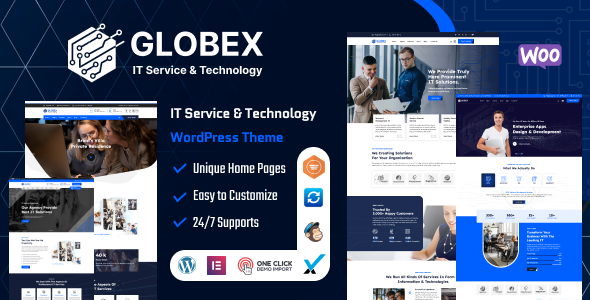
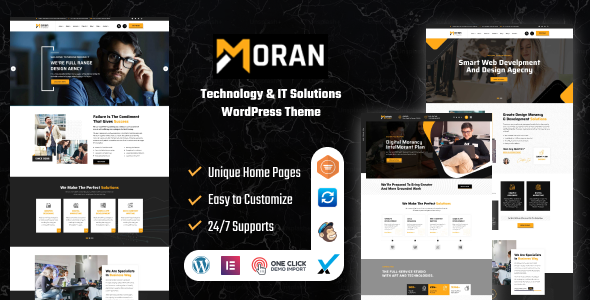
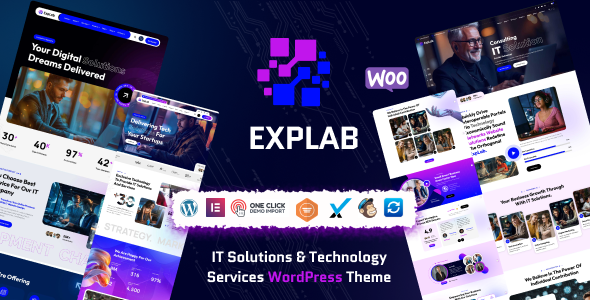
The IT theme market has strong, established designs to measure against. The EXPLAB IT solutions theme, the Moran technology and IT solutions theme, and the Globex IT solutions theme all show the same discipline: services explained as business problems, case studies structured around outcomes, and content given room to work. Use them as the benchmark for any theme you consider, and judge yours by whether a careful non-technical buyer would trust you after reading it.
Security and maintenance clients ask about
Sooner or later, a prospective client will ask how you maintain your own site, and the answer matters more than most agencies realise. An IT company whose site runs outdated software, or whose blog has not been updated in a year, is telling a story about its own maintenance habits. WordPress makes the basics straightforward: regular core and plugin updates, automated backups with tested restores, and a staging environment where changes are checked before they reach the public site.
Say so on the site, briefly and plainly. A short page explaining your update and backup routine reassures the careful buyer and differentiates you from competitors who never mention it. Security is not a feature to boast about in slogans. It is a habit to describe in specifics, and specifics are what careful buyers trust.
Choose the technology WordPress theme that lets you publish useful content consistently, explain your services in plain language, and prove your process without breaching confidences. That combination is what turns readers into clients.
The themes in this post, compared
Every theme below is named in the article itself. The post does not quote prices, so check the product page for the current price.
| Theme | Format | What the post says about it | Price noted in the post |
|---|---|---|---|
| EXPLAB | WordPress theme | The EXPLAB IT solutions theme, the Moran technology and IT solutions theme, and the Globex IT solutions theme all show the same discipline: services explained as business problems, case studies structured around outcomes, and content given room to work. | See the product page |
| Moran | WordPress theme | Moran technology and IT solutions theme, and the Globex IT solutions theme all show the same discipline: services explained as business problems, case studies structured around outcomes, and content given room to work. | See the product page |
Frequently asked questions
Why does the post emphasise write for the buyer, not the engineer for technology WordPress themes for IT companies?
The first mistake IT sites make is writing for themselves. Pages full of stack names, acronyms, and architecture diagrams impress nobody who signs the cheque, and they actively put off the person who does. In practice, that means judging a WordPress theme on this point before you buy, not after the site is built — open the live demo, find the section the post describes, and check it with your own content in place.
What makes EXPLAB a good fit for a technology WordPress theme for IT companies?
The EXPLAB IT solutions theme, the Moran technology and IT solutions theme, and the Globex IT solutions theme all show the same discipline: services explained as business problems, case studies structured around outcomes, and content given room to work. That is the post’s own judgement, and it is worth verifying against the live demo: check the EXPLAB demo with your own images and copy, because a theme that looks right with stock content can feel different with yours.
What makes Moran a good fit for a technology WordPress theme for IT companies?
Moran technology and IT solutions theme, and the Globex IT solutions theme all show the same discipline: services explained as business problems, case studies structured around outcomes, and content given room to work. That is the post’s own judgement, and it is worth verifying against the live demo: check the Moran demo with your own images and copy, because a theme that looks right with stock content can feel different with yours.
How much should I budget for a technology WordPress theme for IT companies?
The post does not quote a price for technology WordPress themes for IT companies, so treat the theme as one line in a small budget, not the whole budget. As a guide, WordPress themes on Expert Themes are listed at $20 and HTML templates at $10, with hosting and a domain on top. Check the product page for the current price before you decide, and count any paid plugins you will need.
Will a technology WordPress theme for IT companies work properly on a phone?
The post treats mobile as a first check rather than an afterthought, and that is the right order: most visitors in this niche arrive on a phone, so open the demo on your own phone and test the menu, the forms, and the main call to action before you buy.
Prices and theme availability change — check the product page before buying. The themes named here were current when the post was written, so test the live demo against your own content before choosing, and confirm the theme is still actively updated.
Sources
- WordPress.org — Theme Handbook: theme requirements and review guidelines (accessed November 2026)
- Expert Themes — EXPLAB product page (accessed November 2026)
- Expert Themes — Moran product page (accessed November 2026)
- ThemeForest — Expert Themes seller page, member since July 2016 (accessed November 2026)