7 Best Event WordPress Themes for Conferences in 2026

By Shehzad Hussain · Last updated: November 2026
An event WordPress theme is a website template designed for conferences, meetups, and event management businesses. Event sites live on registrations — the theme must promote speakers, publish schedules, and make ticket tiers impossible to miss.
What is the best WordPress theme for conferences?
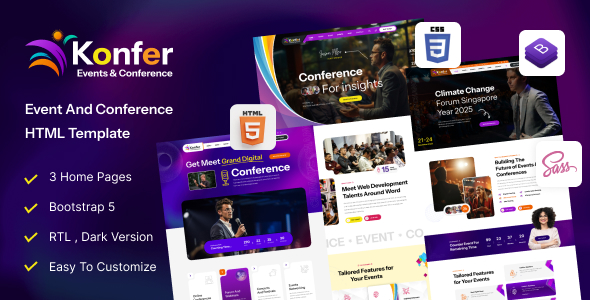
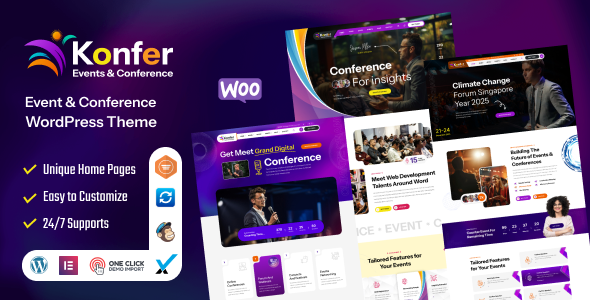
Our top recommendation is Konfer — Conference and Event WordPress Theme. It’s purpose-built for conferences and event planners, with appointment forms, event schedules, pricing plans, services pages, and a mega menu for large programs. View Konfer →
What makes a good event website?
Six essentials: clear dates visible everywhere, a compelling speaker lineup, a browsable schedule, transparent ticket tiers, practical venue info, and a registration form reachable within one click from anywhere on the site. Miss any of these and registrations leak.
What should an event theme include for schedules?
Schedule and agenda layouts built for multi-day programs, with session filtering by track or day. Conference attendees plan their days around your agenda — a flat, unfilterable schedule page frustrates them before they even arrive. Look for tabbed day views and track filters as standard.
Why do speaker profiles matter so much?
Speakers promote your event to their own audiences, so make them look good: photo, bio, session details, and social links for each speaker. Strong speaker pages do double duty — they convince attendees to register and give speakers something worth sharing.
Can I sell event tickets directly with a WordPress theme?
Yes. Use Konfer’s ticket pricing tables with clear tiers (early bird, regular, VIP) and prominent registration buttons, then pair them with a ticketing or payment plugin to take bookings and payments directly on your site.
How do countdown timers help event registrations?
Event dates are fixed, which creates natural urgency — countdown timers and “seats left” signals push fence-sitters to register now instead of “later” (which usually means never). Place them near ticket tiers and on the homepage hero for maximum effect.
How much does an event WordPress theme cost?
Premium event themes typically cost $49–$79 for a single-site license with lifetime updates. Against ticket revenue from even a small conference, the theme pays for itself many times over.
Quick answers
Can I manage multiple events with one theme?
Yes — look for themes with repeatable event/schedule templates so each conference, meetup, or workshop gets its own polished pages under one site.
Will the theme work with Elementor?
Yes — Konfer supports modern page builders, so your team can update schedules and speaker pages without a developer.
How do I choose the right event WordPress theme?
Event websites have a job: fill seats. Schedule presentation — the theme must display multi-day agendas, tracks, and sessions clearly; test this on mobile, where most attendees check schedules. Speaker profiles — look for attractive speaker templates with photos, bios, and session links, since speakers drive registrations. Ticketing integration — confirm compatibility with WooCommerce or event ticketing plugins for direct sales. Countdown and urgency — built-in countdown timers and early-bird pricing displays boost conversions. Venue and logistics — maps, travel info, and accommodation sections must be easy to build. Post-event flexibility — after the event, you’ll want galleries and recap pages; the theme should handle those too.
What mistakes do event websites usually make?
The costliest mistake is burying the ticket button — if visitors can’t find “Register” within seconds, you lose sales. Second is unreadable schedules; dense PDF-style timetables that don’t work on phones frustrate attendees. Third is weak speaker presentation — tiny photos and one-line bios waste your biggest draw. Fourth is no social proof; past attendee counts, testimonials, and photo galleries from previous years sell tickets. And fifth is ignoring post-event content; galleries and session recaps extend the event’s value and market next year.
Quick answers
Can I manage multiple ticket tiers?
Yes, with WooCommerce or a ticketing plugin. Create early-bird, standard, VIP, and group tiers with different pricing and perks. Your theme provides the design; the plugin handles the commerce logic.
How do I display a multi-day schedule?
Use tabbed or accordion layouts organized by day, with tracks or rooms as sub-sections. Ensure it’s fully responsive — most attendees check schedules on phones during the event.
Should the site stay live after the event?
Absolutely. Convert it to a recap hub with photo galleries, session recordings, and testimonials. Then reuse the structure for next year’s edition — it’s your best marketing asset.
Can I add a countdown timer?
Yes. Most event themes include countdown widgets, or you can add one via Elementor. Place it near the ticket call-to-action for maximum conversion impact.
How do I promote sponsors on the site?
Create tiered sponsor pages with logos sized by sponsorship level, plus dedicated sponsor spotlights. Sponsors are revenue — give them prominent, attractive placement that justifies their investment.
What this post covers, at a glance
The table below pulls together the main points of this guide to event WordPress themes so you can scan them before reading the full article.
| Topic in this post | The post’s key point |
|---|---|
| What is the best WordPress theme for conferences? | Our top recommendation is Konfer — Conference and Event WordPress Theme. |
| What makes a good event website? | Six essentials: clear dates visible everywhere, a compelling speaker lineup, a browsable schedule, transparent ticket tiers, practical venue info, and a registration form reachable within one click from anywhere on the site. |
| What should an event theme include for schedules? | Schedule and agenda layouts built for multi-day programs, with session filtering by track or day. |
| Why do speaker profiles matter so much? | Speakers promote your event to their own audiences, so make them look good: photo, bio, session details, and social links for each speaker. |
| Can I sell event tickets directly with a WordPress theme? | Use Konfer’s ticket pricing tables with clear tiers (early bird, regular, VIP) and prominent registration buttons, then pair them with a ticketing or payment plugin to take bookings and payments directly on your site. |
| How do countdown timers help event registrations? | Event dates are fixed, which creates natural urgency — countdown timers and “seats left” signals push fence-sitters to register now instead of “later” (which usually means never). |
Frequently asked questions
What makes Konfer a good fit for an event WordPress theme?
Konfer — Conference and Event WordPress Theme. That is the post’s own judgement, and it is worth verifying against the live demo: check the Konfer demo with your own images and copy, because a theme that looks right with stock content can feel different with yours.
How much does a event WordPress theme cost?
The post puts premium event WordPress themes at $49–$79 for a single-site licence, including lifetime updates and 6 months of support. That is the theme alone — hosting, a domain, and any paid plugins are separate, so budget for those too. Check the product page before buying, because prices and licence terms change.
Will a event WordPress theme work properly on a phone?
Event websites have a job: fill seats. Schedule presentation — the theme must display multi-day agendas, tracks, and sessions clearly; test this on mobile, where most attendees check schedules. The post treats mobile as a first check rather than an afterthought, and that is the right order: most visitors in this niche arrive on a phone, so open the demo on your own phone and test the menu, the forms, and the main call to action before you buy.
Does a event WordPress theme work with Elementor?
The post discusses Elementor as part of choosing in this niche, and most modern event WordPress themes are built to work with it or with the block editor. Before you buy, confirm on the product page that the theme supports the builder you actually use — a theme that needs a builder you do not have is a hidden extra cost.
What support and updates come with a premium event WordPress theme?
The post raises support and updates as a buying check, and for a reason: a theme that stops being updated becomes a security risk within a year. Premium event WordPress themes on Expert Themes include lifetime product updates, and the product page states the support terms — read them before buying, and check the changelog date to confirm the theme is still actively maintained.
Prices and theme availability change — check the product page before buying. The themes named here were current when the post was written, so test the live demo against your own content before choosing, and confirm the theme is still actively updated.
Sources
- WordPress.org — Theme Handbook: theme requirements and review guidelines (accessed November 2026)
- Expert Themes — Konfer product page (accessed November 2026)
- ThemeForest — Expert Themes seller page, member since July 2016 (accessed November 2026)