7 Best Construction WordPress Themes (2026) | Expert Themes
By Shehzad Hussain · Last updated: November 2026
A construction WordPress theme is a website template built for contractors, builders, and construction companies. The best ones include project portfolio layouts, service pages, quote request forms, and fast mobile performance — everything a contractor needs to turn visitors into job enquiries.
What is the best WordPress theme for a construction company?
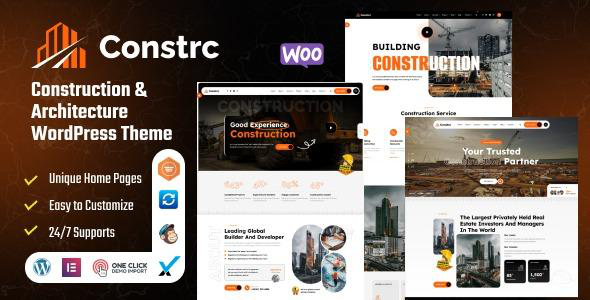
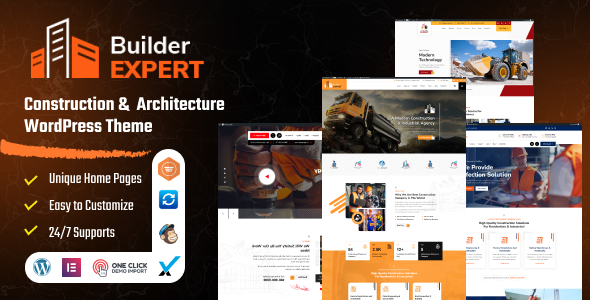
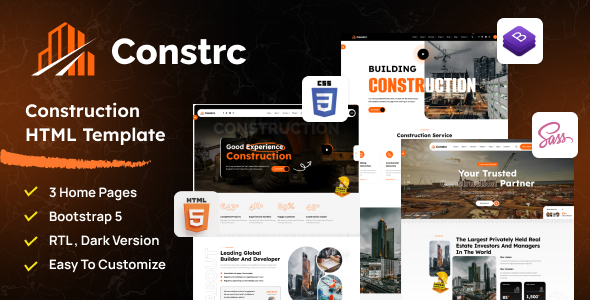
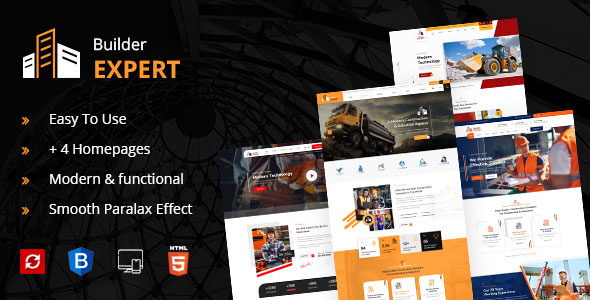
Our top recommendations are Constrc — Construction and Architecture WordPress Theme, built specifically for building and construction businesses with strong project showcases, service breakdowns, and quote-focused calls to action View Constrc →, and Builder Expert — Construction and Architecture WordPress Theme, which positions your firm as the expert with a confident design and friction-free quote requests — ideal for general contractors and specialized trades. View Builder Expert →
What should a construction website include?
Four essentials. Project portfolio layouts — your past work sells your next job; look for large-image portfolio grids with before/after support and project detail pages. Quote and contact forms — a contractor’s site must convert, and built-in quote request forms placed near project galleries lift enquiries measurably. Speed on mobile — most clients find you on a phone; a theme loading in under 2 seconds keeps them from bouncing to a competitor. And service pages for every trade — general contracting, remodeling, roofing, plumbing each deserve their own page for both SEO and clarity.
Can I show before/after project photos?
Yes. Use the portfolio layouts in Constrc or Builder Expert with large image galleries on each project page to showcase transformations. Before/after sliders are especially persuasive for remodeling and renovation contractors — they’re visual proof of the outcome a prospect is buying.
Why is mobile speed critical for contractors?
Most clients will find you on a phone — from a job site, their truck, or their couch. A slow site sends them straight to a competitor whose site loaded first. Both Constrc and Builder Expert use clean, fast-loading code, but keep your project photos optimized to protect that speed.
How do service pages help a construction business?
Each trade (roofing, remodeling, plumbing, electrical) deserves its own dedicated page. This helps prospects find exactly what they need, and helps Google rank you for “[trade] + [city]” searches — which is where high-intent local enquiries come from.
How much does a construction WordPress theme cost?
Premium construction themes typically cost $19–$69 for a single-site license, including lifetime updates and 6 months of support — far cheaper than custom design, and one signed job covers it many times over.
Quick answers
Can I take quote requests online?
Yes — both themes are built around quote-focused calls to action; pair them with any form plugin for detailed quote forms (project type, timeline, budget range).
Will the theme work for specialized trades?
Yes — Constrc explicitly supports industrial firms and trades like plumbing and cleaning services, not just general contractors.
How do I choose the right construction WordPress theme?
Construction buyers want reliability — your site should feel solid. Project galleries — before/after photos, project details, and filtering by service type; this is what sells. Service pages — each service (renovation, new build, commercial, etc.) needs its own detailed page for both SEO and clarity. Quote capture — prominent quote request forms with the right fields (project type, timeline, budget range). Trust signals — licenses, insurance, certifications, and testimonials must be visible; construction is high-trust. Mobile speed — property owners search on phones; a slow site loses jobs. Local SEO structure — service-area pages and clear location signals help you rank for “contractor near me” searches.
What mistakes do construction websites usually make?
The most common is no project photos — a construction site without galleries is like a restaurant without a menu. Second is hiding credentials; licenses, insurance, and certifications should be prominent, not buried. Third is weak quote forms — generic contact pages instead of project-specific quote requests. Fourth is no testimonials or reviews; construction is referral-driven, and your site should showcase social proof. And fifth is ignoring local SEO; most contractors win work locally, yet many sites have no service-area pages or local signals.
Quick answers
How do I show before/after photos effectively?
Use side-by-side or slider comparisons with project details (scope, timeline, location). Real transformations are your most persuasive content — make them prominent on the homepage and service pages.
Should I list my service areas?
Yes, explicitly. Create pages or sections for each area you serve — it helps with local search rankings and tells visitors immediately whether you cover their location.
How do I capture quote requests?
Build project-specific quote forms (not generic contact) asking for project type, timeline, and budget range. Place them prominently on every service page and in the site header. Respond fast — speed wins construction jobs.
Can the theme handle multiple construction specialties?
Yes. Use dedicated pages for each specialty (residential, commercial, renovation, etc.) with relevant project galleries. This structure also boosts SEO by targeting specific search terms for each service.
The themes in this post, compared
Every theme below is named in the article itself. Prices are the range the post quotes for premium construction WordPress themes; check the product page for the current price.
| Theme | Format | What the post says about it | Price noted in the post |
|---|---|---|---|
| Constrc | WordPress theme | Constrc — Construction and Architecture WordPress Theme, built specifically for building and construction businesses with strong project showcases, service breakdowns, and quote-focused calls to action. | $19–$69 |
| Builder Expert | WordPress theme | Builder Expert — Construction and Architecture WordPress Theme, which positions your firm as the expert with a confident design and friction-free quote requests — ideal for general contractors and specialized trades. | $19–$69 |
Frequently asked questions
What makes Constrc a good fit for a construction WordPress theme?
Constrc — Construction and Architecture WordPress Theme, built specifically for building and construction businesses with strong project showcases, service breakdowns, and quote-focused calls to action. That is the post’s own judgement, and it is worth verifying against the live demo: check the Constrc demo with your own images and copy, because a theme that looks right with stock content can feel different with yours.
What makes Builder Expert a good fit for a construction WordPress theme?
Builder Expert — Construction and Architecture WordPress Theme, which positions your firm as the expert with a confident design and friction-free quote requests — ideal for general contractors and specialized trades. That is the post’s own judgement, and it is worth verifying against the live demo: check the Builder Expert demo with your own images and copy, because a theme that looks right with stock content can feel different with yours.
Will a construction WordPress theme work properly on a phone?
Most clients will find you on a phone — from a job site, their truck, or their couch. The post treats mobile as a first check rather than an afterthought, and that is the right order: most visitors in this niche arrive on a phone, so open the demo on your own phone and test the menu, the forms, and the main call to action before you buy.
How should I test a construction WordPress theme before buying it?
Run the live demo through Google PageSpeed Insights and open it on a real phone, not just a desktop browser — the post makes this exact point about demos being the best-case scenario. Load the pages your visitors will actually use, click through the forms, and check that the layout holds with your own images and text. If the demo is slow or awkward, your site will be worse, not better.
What support and updates come with a premium construction WordPress theme?
The post raises support and updates as a buying check, and for a reason: a theme that stops being updated becomes a security risk within a year. Premium construction WordPress themes on Expert Themes include lifetime product updates, and the product page states the support terms — read them before buying, and check the changelog date to confirm the theme is still actively maintained.
Prices and theme availability change — check the product page before buying. The themes named here were current when the post was written, so test the live demo against your own content before choosing, and confirm the theme is still actively updated.
Sources
- WordPress.org — Theme Handbook: theme requirements and review guidelines (accessed November 2026)
- Expert Themes — Constrc product page (accessed November 2026)
- Expert Themes — Builder Expert product page (accessed November 2026)
- ThemeForest — Expert Themes seller page, member since July 2016 (accessed November 2026)