Premium product
Konfer – Conference and Event WordPress Theme
- Lifetime updates included
- 6 months expert support
- 14-day money-back guarantee
About this product
Buy direct — same theme, instant download.
By Shehzad Khan · Published 10 July 2026 · Last updated 5 November 2026
Konfer is a WordPress theme for conference, meeting, and event websites — built for companies that plan meetings and for event management businesses that live on registrations. It has a purpose-oriented design with a responsive layout and event-specific features like appointment forms, services pages, event schedules, pricing plans, and a mega menu to keep large programs easy to navigate. Everything an event site needs is thought through: promote speakers and sessions, publish schedules, take bookings through appointment forms, and present ticket tiers clearly. The theme is fully responsive, ships with clean, commented, developer-friendly code and a demo-ready page structure, and uses performance-focused CSS with optimized assets so pages stay fast even with rich event content. Documentation guides you through setup. You get free lifetime product updates and 6 months of expert support covering installation, bug fixes, and usage guidance. Checkout is secure, download is instant, and a 14-day money-back guarantee applies to every purchase. Konfer comes from Expert Themes, a ThemeForest seller July 2016 with a 4.4 buyer rating on ThemeForest and 8,900+ sales on ThemeForest — 100% original, legal products, no fakes, no resales.
Konfer is the most event-specific theme in the whole catalogue, and it shows in the details. Appointment forms, services pages, event schedules, pricing plans and a mega menu are all part of the theme, not extras to build yourself, because an event site lives or dies on whether a visitor can find the schedule, see the speakers and book a place without friction. A conference with three tracks and forty sessions needs navigation that stays usable, and the mega menu is there for exactly that problem.
The theme also understands that event content changes constantly. Speakers drop out, sessions move, ticket tiers sell out, and the team needs to update the site without a developer on call. Because it is a WordPress theme with Elementor, the organisers can publish a new session, change a price tier or add a speaker themselves, and the site stays current across a busy events calendar. The performance-focused CSS keeps pages fast even with rich event content, which matters when hundreds of people check the schedule at once.
About this product
Konfer is a WordPress theme for conference, meeting and event websites, built for companies that plan meetings and for event management businesses that live on registrations. It has a purpose-oriented design with a responsive layout and event-specific features like appointment forms, services pages, event schedules, pricing plans and a mega menu. Everything an event site needs is thought through: promote speakers and sessions, publish schedules, take bookings through appointment forms and present ticket tiers clearly. It is sold by Shehzad Khan through Expert Themes, a ThemeForest seller July 2016 with a 4.4 buyer rating on ThemeForest and more than 8,900 sales on ThemeForest. The live product page states version 1.4.3. Every purchase includes lifetime updates, six months of expert support and a 14-day money-back guarantee. If your organisation runs conferences or events and wants a WordPress site built around them, Konfer is made for it. Konfer is also the theme to choose when the event programme is large, because the mega menu keeps a multi-track schedule easy to navigate, and the appointment forms and pricing sections cover the practical side of registrations without extra plugins.Highlights
- Event schedules, appointment forms and pricing plans built in
- Speaker and session layouts made for conferences and meetups
- Mega menu that keeps large event programmes easy to navigate
- Purpose-oriented design for companies that live on registrations
- Fully responsive on desktop, tablet and mobile
- Lifetime updates and 6 months of expert support included
What you get
| Feature | What it does for you |
|---|---|
| Event schedules built in | Attendees can see the programme without hunting for it |
| Appointment forms built in | Visitors can request a booking or meeting directly from the site |
| Pricing plans built in | Ticket tiers are presented clearly, so a visitor can decide what to buy |
| Speaker and session layouts made for conferences and meetups | Speakers and sessions get proper pages instead of being squeezed onto the home page |
| Mega menu that keeps large event programmes easy to navigate | A big programme with many sessions stays findable instead of overwhelming |
| Services pages included | The event business can explain what it offers alongside the event itself |
| Purpose-oriented design for companies that live on registrations | Every section is aimed at the same job: turning a visitor into a registration |
| Fully responsive on desktop, tablet and mobile | Attendees checking dates and venues on a phone get the same clear site |
| Lifetime updates and 6 months of expert support included | Future improvements are yours at no extra cost, and help with installation, bug fixes and usage is included for 6 months |
Specifications
| Specification | Details |
|---|---|
| Product type | WordPress theme |
| Price | $20 (was $32) — one-time payment, instant download |
| Version | 1.4.3, as stated on the live product page |
| Page builder | Elementor (free version) — drag and drop, no coding needed |
| Event features | Appointment forms, services pages, event schedules, pricing plans, mega menu |
| Requirements | PHP 5.6 and higher, max execution time 3600, max input time 3600, memory limit 256M, post max size 64M, upload max filesize 64M, max input vars 3000 |
| Changelog | 2026.08.01, version 1.3: colour picker field in theme options, Revolution Slider update, WooCommerce update. 2025.06.05, version 1.2. |
| Responsive | Yes — desktop, tablet and mobile |
| Updates | Lifetime product updates included |
| Support | 6 months of expert support — installation help, bug fixes, usage guidance |
| Money-back guarantee | 14 days |
| Seller | Expert Themes — ThemeForest seller July 2016, 4.4 buyer rating on ThemeForest, 8,900+ sales on ThemeForest |
Screenshots
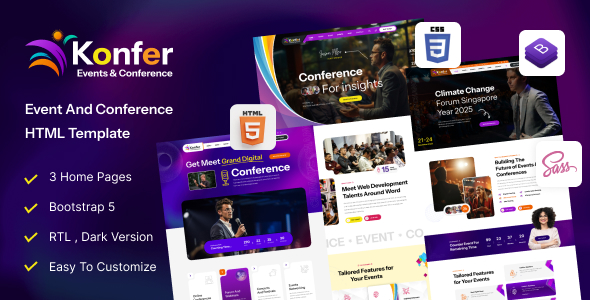
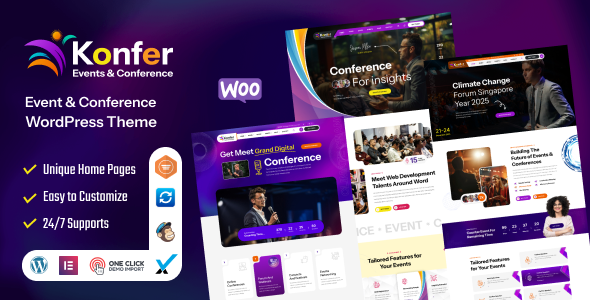
- Homepage with hero, event dates, featured speakers and ticket call to action
- Schedule page with day-by-day programme, times and session details
- Speakers page with photos, biographies and session links
- Pricing page with ticket tiers and what each tier includes
- Contact and booking page with appointment form and venue details
Build a conference website with Konfer in 7 steps
Start with the schedule — one section per day, every session linked to its speaker — and end with a live event site: install Konfer, add free Elementor, import the demo, replace the demo event with your real dates, venue, speakers, sessions and ticket tiers, then test the appointment form and the schedule on a phone.
- Build the schedule page first, one section per day with times, session titles and speaker names, then link every session to its speaker profile.
- After buying Konfer, download the theme zip from your account.
- In the WordPress admin, find Themes under Appearance, press Add New, and use the upload option to add the zip file.
- If the site does not run Elementor yet, install the free plugin from Plugins and Add New.
- Use the documentation in the download to import the demo, so the site starts with the demo's schedule, speaker and pricing pages.
- Replace the demo event with your real one: dates, venue, speakers, sessions and ticket tiers, using the mega menu to keep a large programme easy to navigate.
- Test the appointment form yourself, then check the schedule on a phone, since that is how most attendees will read it on the day.
Limitations
Konfer covers the public side of a conference: schedules, speakers, sessions and pricing plans. It is not a ticketing platform. Appointment forms are built in, and the pricing sections present ticket tiers clearly, but the theme itself does not sell tickets, process payments or manage attendee check-in. There is also no live streaming inside the theme, no mobile app for attendees and no automated email reminders, so a hybrid event or a multi-day conference needs other tools for those jobs. Speaker travel, hotel blocks and session changes are managed by the organising team in the pages themselves, not by a back-office system, because Konfer has no event management backend. Version 1.4.3 is the version stated on the live product page, and the theme works with the free Elementor builder, so Elementor Pro is not included and not required.Frequently asked questions
Can Konfer publish a full conference schedule with times and speakers?
Yes. Event schedules are one of the built-in features, along with speaker and session layouts, so you can publish a day-by-day programme with times, session titles and speaker names.
Does Konfer take bookings for events?
Yes, through appointment forms. Visitors can book or enquire through the forms built into the theme, and pricing plans present the ticket tiers clearly. Selling paid tickets online would need a separate plugin.
What version of Konfer is this?
You get the current version, 1.4.3, and lifetime updates are included, so future versions are yours at no extra cost. The changelog on this page lists what each version added.
Is Konfer suitable for a small meetup as well as a large conference?
Yes. The theme is built for conferences, meetings, meetups, seminars and exhibitions, so a small monthly meetup can use the same structure as a multi-day conference.
Can I update speakers and sessions myself without a developer?
Yes. Because Konfer is a WordPress theme with Elementor, the organising team can add a speaker, move a session or change a price tier themselves, which keeps the site current across a busy events calendar.
Everything you need to build with confidence.
01
Event schedules, appointment forms and pricing plans built in
02
Speaker and session layouts made for conferences and meetups
03
Mega menu that keeps large event programmes easy to navigate
04
Purpose-oriented design for companies that live on registrations
05
Fully responsive on desktop, tablet and mobile
06
Lifetime updates and 6 months of expert support included
Compatibility & technical information
Product typeWordPress Themes
Version1.4.3
FrameworkElementor-Ready
Price$20 (was $32) — one-time payment, instant download
Version1.4.3, as stated on the live product page
Page builderElementor (free version) — drag and drop, no coding needed
Event featuresAppointment forms, services pages, event schedules, pricing plans, mega menu
RequirementsPHP 5.6 and higher, max execution time 3600, max input time 3600, memory limit 256M, post max size 64M, upload max filesize 64M, max input vars 3000
Changelog2026.08.01, version 1.3: colour picker field in theme options, Revolution Slider update, WooCommerce update. 2025.06.05, version 1.2.
ResponsiveYes — desktop, tablet and mobile
UpdatesLifetime product updates included
Support6 months of expert support — installation help, bug fixes, usage guidance
Money-back guarantee14 days
SellerExpert Themes — ThemeForest seller July 2016, 4.4 buyer rating on ThemeForest, 8,900+ sales on ThemeForest
Before you install
- PHP 5.6 and higher, max execution time 3600, max input time 3600, memory limit 256M, post max size 64M, upload max filesize 64M, max input vars 3000
Recent updates
2026.08.01 - version 1.3
1- Create Color Picker Field in Theme options to change the default colors of theme.
2- Update Revolution Slider
3- Update WooCommerce
2025.06.05 - version 1.2
Related products