How to choose an education WordPress theme

By Shehzad Hussain · Last updated: November 2026
A school office manager once described her website as a telephone answering machine that never got switched on: parents rang to ask the same questions the site should have answered — term dates, uniform policy, admissions deadlines — because the information was there but nobody could find it. Education websites fail most often not through bad design but through bad organisation, and the theme you choose either fixes that or makes it worse.
Start with the information parents and students actually look for. Admissions, term dates, staff contacts, policies, and news should be reachable within two clicks of the homepage, not buried in a mega menu. A good education theme gives you clear templates for these practical pages and keeps navigation steady across the whole site, so a stressed parent at 8 a.m. does not have to learn a new layout on every page. If the demo’s navigation only works when the site has six pages, it will not survive your real content.
Programmes and courses need proper pages
Whether you run a school, a college, or a training provider, your programmes are the product. Each one needs a page that explains who it is for, what it covers, how long it takes, what it costs, and how to apply — in that order of importance to the reader, not the institution. Look for themes with sensible course or programme layouts, including room for entry requirements, schedules, and tutor information. A generic text page can hold this information, but a structured template keeps dozens of programme pages consistent, which is what prospective students notice.
News and events are the heartbeat of an education site. Parents want to see that the place is alive: recent trips, results, open days, deadlines. The theme should handle news listings, event dates, and announcements cleanly, with archives that do not look neglected. An events calendar, even a simple one, is worth more than a beautiful homepage slider, because it answers the question every parent asks: what is happening, and when?
Accessibility is not optional here
Education serves everyone, including people with disabilities, people on old phones, and people reading in a second language. Check contrast, font sizes, keyboard navigation, and how the theme handles translated or simplified content. A theme that fails basic accessibility checks is not just a poor choice; for many institutions it is a compliance problem. Test with a screen reader if you can, or at least navigate the demo entirely by keyboard. The results are often sobering.
Think about who will update the site. Teachers and administrators, not developers, will post news, update term dates, and add staff profiles. The theme should let them do that through normal WordPress editing, with templates that look right without fiddling. Staff directories deserve a mention: a simple, searchable directory with photos and roles helps parents put names to faces, and it is one of the most visited sections on any school site. If the theme has no sensible way to present staff, you will end up bolting one on.
Choose the theme that organises information the way a busy parent thinks, keeps programme pages consistent, and can be updated by the people who actually work there. A school website does not need to win design awards. It needs to answer questions before the phone rings, and to keep answering them term after term.
Keeping the site current through the school year
Education websites go stale in predictable places: term dates from last year, staff who left two terms ago, policies superseded by new ones, and a news section whose latest item is from the spring term. The theme cannot prevent this, but it can make upkeep easy enough that it actually happens. Assign ownership of each section — office staff for term dates and policies, a teacher for news, the head’s office for announcements — and make sure each owner can update their pages without help. If only one person knows how to edit the site, it will fall behind the moment they are busy.
Build a calendar of updates tied to the school year: term dates before each term starts, admissions information before application season, staff directory checks at the start of each term, and policy reviews on a fixed annual date. A theme with clear page templates makes these updates quick, because each page has an obvious structure to follow. And keep an eye on the homepage: it should always reflect the current term’s priorities, whether that is admissions, exam results, or an upcoming open day. A homepage advertising last term’s event tells visitors nobody is minding the site.
- Assign a named owner to each section of the site.
- Schedule updates around the school year, not whenever someone remembers.
- Check staff directories and term dates at the start of every term.
- Keep the homepage focused on the current term’s priorities.
What this post covers, at a glance
The table below pulls together the main points of this guide to education WordPress theme so you can scan them before reading the full article.
| Topic in this post | The post’s key point |
|---|---|
| Programmes and courses need proper pages | Whether you run a school, a college, or a training provider, your programmes are the product. |
| Accessibility is not optional here | Education serves everyone, including people with disabilities, people on old phones, and people reading in a second language. |
| Keeping the site current through the school year | Education websites go stale in predictable places: term dates from last year, staff who left two terms ago, policies superseded by new ones, and a news section whose latest item is from the spring term. |
Frequently asked questions
Why does the post emphasise programmes and courses need proper pages for education WordPress theme?
Whether you run a school, a college, or a training provider, your programmes are the product. In practice, that means judging a WordPress theme on this point before you buy, not after the site is built — open the live demo, find the section the post describes, and check it with your own content in place.
What makes Spring a good fit for an education WordPress theme?
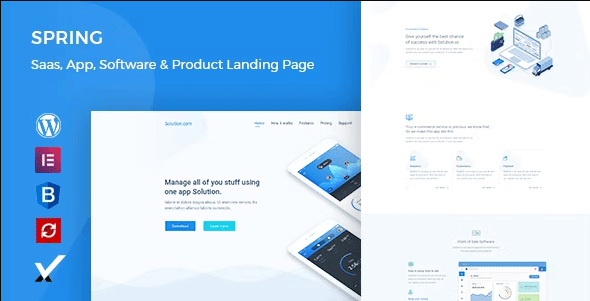
Keeping the site current through the school year Education websites go stale in predictable places: term dates from last year, staff who left two terms ago, policies superseded by new ones, and a news section whose latest item is from the spring term. That is the post’s own judgement, and it is worth verifying against the live demo: check the Spring demo with your own images and copy, because a theme that looks right with stock content can feel different with yours.
How much should I budget for a education WordPress theme?
The post does not quote a price for education WordPress theme, so treat the theme as one line in a small budget, not the whole budget. As a guide, WordPress themes on Expert Themes are listed at $20 and HTML templates at $10, with hosting and a domain on top. Check the product page for the current price before you decide, and count any paid plugins you will need.
Will a education WordPress theme work properly on a phone?
The post treats mobile as a first check rather than an afterthought, and that is the right order: most visitors in this niche arrive on a phone, so open the demo on your own phone and test the menu, the forms, and the main call to action before you buy.
How should I test a education WordPress theme before buying it?
Run the live demo through Google PageSpeed Insights and open it on a real phone, not just a desktop browser — the post makes this exact point about demos being the best-case scenario. Load the pages your visitors will actually use, click through the forms, and check that the layout holds with your own images and text. If the demo is slow or awkward, your site will be worse, not better.
This is general guidance for choosing in this niche, not a guarantee: a theme that scores well on a demo can still slow down once your own images, plugins, and tracking are added. Test any education WordPress theme with your real content before you commit.
Sources
- WordPress.org — Theme Handbook: theme requirements and review guidelines (accessed November 2026)
- Expert Themes — Spring product page (accessed November 2026)
- ThemeForest — Expert Themes seller page, member since July 2016 (accessed November 2026)