Best directory HTML website templates for online listings

By Shehzad Hussain · Last updated: November 2026
A directory website lives or dies on its listings. Nobody visits a directory for its homepage animation. They visit because they want to find something: a business, a property, a service, a place. The directory’s job is to make that finding fast, clear, and trustworthy, and then to get out of the way. An HTML template for a directory site has to be judged by exactly that standard, and it is a stricter standard than most website categories face.
The first thing to understand is that directories come in two very different sizes, and the technology choice depends on which one you are building. A curated directory, with dozens or a few hundred listings maintained by a small team, is a perfect fit for static HTML. A user-submitted directory, with thousands of listings that change daily, needs a database and is the wrong job for a static template. Being honest about which one you are building will save you from a painful rebuild later.
What a curated directory needs
For the curated directory, the essentials are straightforward. A browse experience organised by category, so visitors can narrow to what they need. A search that works across listing names and descriptions. Listing pages with enough detail to be useful: what the business is, where it is, how to contact it, and what makes it worth choosing. And a consistent layout across every listing, so visitors learn the pattern once and then move quickly.
Trust is the subtle requirement. A directory is only useful if visitors believe its listings are current and genuine. That means showing enough detail per listing to be credible, keeping information up to date, and being clear about how listings are chosen. A template that presents listings cleanly, with room for real detail rather than just a name and a link, supports that trust. A template that reduces listings to a bare grid of logos does not.
The listing page, done properly
A good listing page answers the visitor’s questions in order. What is this? Where is it? How do I contact it? Why should I choose it? Photography helps enormously where it applies, especially for property, hospitality, and venue listings. Factual details, opening hours, services, and location information should be structured and scannable rather than buried in paragraphs. And the contact route should be immediate: a phone number, a website link, or a directions link, not a form that adds friction between the visitor and the business.
Categories deserve as much thought as listings. A directory with confused categories is a directory nobody can browse. Plan the category structure before choosing a template, then check that the template’s navigation and filtering can express it clearly. If the template forces a category structure that does not match the subject, it will fight you for the life of the site.
Why HTML suits the curated directory
Speed is the headline benefit, and for a directory it matters more than usual, because visitors browse many pages in one visit. Static pages serve instantly, which keeps the browsing experience fluid instead of frustrating. Security and cost follow the usual static advantages: no database to attack, no system to maintain, and hosting that costs very little even as traffic grows.
The trade-off is maintenance effort. Adding a listing means editing files, which is fine at a few listings a month and tedious at dozens a week. If the directory is expected to grow quickly, or to accept submissions from the public, a database-backed platform is the honest choice. But many directories never reach that scale, and for those, static HTML is faster, cheaper, and more reliable than any system they would replace it with.
Making listings pay
Directories usually earn through featured listings, category sponsorship, or lead generation, and the template should support whichever model applies. Featured listings need a visual distinction that is noticeable without being garish. Category pages need room for a small number of promoted entries. And if the directory sends enquiries to listed businesses, the contact flow should track which listing generated the enquiry, so the directory can demonstrate its value to the businesses that pay for it.
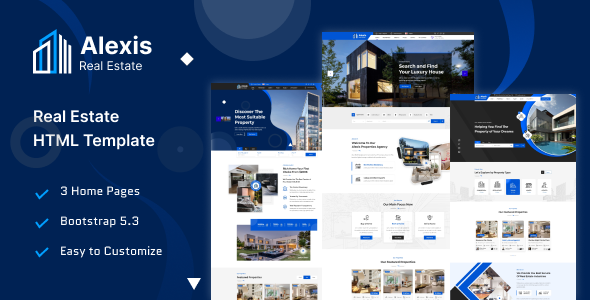
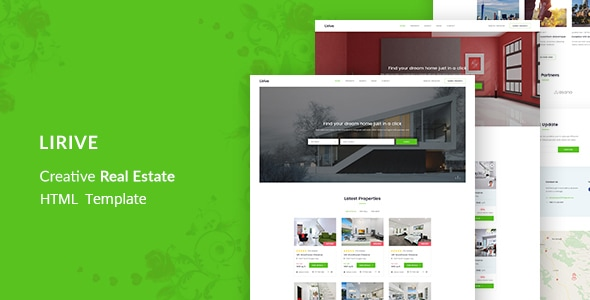
Listing-style templates from adjacent niches are a useful reference for page design. Property templates, for example, have spent years perfecting the listing page, and Lirive shows that pattern well, with structured listing presentation, while ALEXIS covers real estate listings with a similar approach. Borrow the listing-page discipline from those designs, apply it to your own directory’s subject, and the result will be a directory that visitors actually enjoy using, which is the rarest compliment a directory site can earn.
Keeping listings accurate
A directory’s reputation rests on accuracy, and accuracy decays. Businesses close, move, change numbers, and rebrand, and a directory that still lists them as before is actively misleading its visitors. The unglamorous work of a directory owner is therefore verification: a regular rhythm of checking listings, confirming details, and removing or updating the ones that have changed. A small directory can do this by hand a few times a year. A larger one needs a system, with expiry dates on listings and a way for businesses or visitors to report corrections.
Stale listings should have a clear policy. Some directories mark unverified listings, others remove them after a set period without confirmation. Either approach beats silently serving outdated information, because visitors who find two dead listings in a row will not trust the third, however good it is. Accuracy is the directory’s product, and protecting it is the job that matters most.
The themes in this post, compared
Every theme below is named in the article itself. The post does not quote prices, so check the product page for the current price.
| Theme | Format | What the post says about it | Price noted in the post |
|---|---|---|---|
| Alexis | HTML template | ALEXIS covers real estate listings with a similar approach. | See the product page |
| Lirive | HTML template | Lirive shows that pattern well, with structured listing presentation, while. | See the product page |
Frequently asked questions
Why does the post emphasise what a curated directory needs for directory HTML website templates for online listings?
For the curated directory, the essentials are straightforward. In practice, that means judging an HTML template on this point before you buy, not after the site is built — open the live demo, find the section the post describes, and check it with your own content in place.
What makes Alexis a good fit for a directory HTML website template for online listings?
ALEXIS covers real estate listings with a similar approach. That is the post’s own judgement, and it is worth verifying against the live demo: check the Alexis demo with your own images and copy, because a theme that looks right with stock content can feel different with yours.
What makes Lirive a good fit for a directory HTML website template for online listings?
Lirive shows that pattern well, with structured listing presentation, while. That is the post’s own judgement, and it is worth verifying against the live demo: check the Lirive demo with your own images and copy, because a theme that looks right with stock content can feel different with yours.
How much should I budget for a directory HTML website template for online listings?
The post does not quote a price for directory HTML website templates for online listings, so treat the theme as one line in a small budget, not the whole budget. As a guide, WordPress themes on Expert Themes are listed at $20 and HTML templates at $10, with hosting and a domain on top. Check the product page for the current price before you decide, and count any paid plugins you will need.
Will a directory HTML website template for online listings work properly on a phone?
The post treats mobile as a first check rather than an afterthought, and that is the right order: most visitors in this niche arrive on a phone, so open the demo on your own phone and test the menu, the forms, and the main call to action before you buy.
Prices and theme availability change — check the product page before buying. The themes named here were current when the post was written, so test the live demo against your own content before choosing, and confirm the theme is still actively updated.
Sources
- MDN Web Docs — HTML: HyperText Markup Language (accessed November 2026)
- Expert Themes — Alexis product page (accessed November 2026)
- Expert Themes — Lirive product page (accessed November 2026)
- ThemeForest — Expert Themes seller page, member since July 2016 (accessed November 2026)