Best business React website templates for professional company websites

By Shehzad Hussain · Last updated: November 2026
When a company’s website is built by its own developers, React starts to look attractive. The marketing site stops being a separate thing maintained by one person and becomes part of the same codebase, the same component library, and the same deployment pipeline as the product. For a professional company website, that can be a genuine advantage, but only if the team actually wants it. React is a tool for building user interfaces, and a company website is, at its core, a set of pages that need to inform and convert. The fit depends on how the company works, not on how modern the stack sounds.
The real benefit of React for a business site is reuse. A company site repeats the same pieces everywhere: service cards, testimonial blocks, team profiles, call-to-action banners, pricing tables. In React, each of those becomes a component built once and used across every page, which keeps the design consistent and makes updates trivial. Change the testimonial component and every page that uses it updates. For a growing company adding pages regularly, that consistency compounds.
Where React earns its place on a business site
React shines when the site has interactive elements that go beyond reading. Filters on a services or case study listing, tabs on a product page, a multi-step quote or contact flow, and smooth transitions between sections are all natural in React and clumsy when bolted onto a static page. If the company site is really a lightweight web application, with tools, calculators, or dashboards woven into it, React is the right foundation.
It also fits companies whose brand depends on a distinctive interactive feel. A technology company, a design-led firm, or a business whose site is itself a demonstration of capability can benefit from the polish that a component-based build makes possible. The site becomes evidence of the company’s craft, not just a brochure about it.
The honest caveats
React is not free. A React site needs a build step, which means someone on the team owns the toolchain, the dependencies, and the deployment. For a company without developers, that is a burden, not a benefit. Search optimisation also needs attention: a purely client-rendered React site can be harder for search engines to read, so server-side rendering or static generation should be part of the plan from the start, not discovered later.
And for many companies, React is simply more machinery than the job requires. A brochure site with five pages that change twice a year does not need a JavaScript framework. It needs to load fast, read well, and be easy to update. Teams sometimes choose React because it feels like the serious choice, then spend more time maintaining the build than improving the content. Content is what wins customers; the framework is just how it gets delivered.
What to check in a React business template
Look at the template the way a developer would. Is the project structure clean, with components organised sensibly rather than dumped in one folder? Is routing set up for real pages, not just a single demo view? Are the dependencies reasonable, or does the template drag in a dozen libraries for effects you will delete? Can you remove the demo content and drop in real company copy without fighting the layout? A good template answers yes to all of those, and its documentation explains how to build and deploy it without guesswork.
Also check what the template does about the boring parts: SEO meta tags, loading performance, and mobile layout. A business template that looks stunning on a desktop demo but ships without attention to those basics will cost the company visibility and visitors.
Choosing the right tool, honestly
The decision comes down to one question: who will maintain this site, and what do they already know? If the answer is developers who live in React, a React template is a strong choice that keeps the whole web presence in one workflow. If the answer is a marketing team or an outside agency, the same company site will be cheaper and easier to run on a simpler foundation. There is no shame in the simpler route. A business site that loads instantly and is updated regularly beats a React site that nobody maintains.
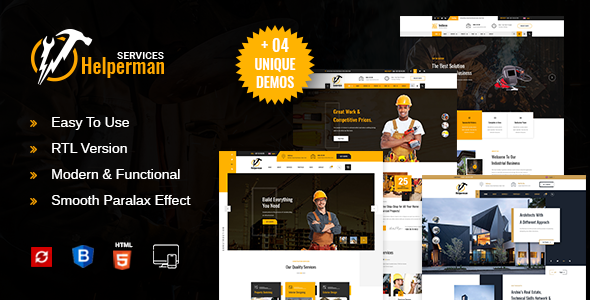
If your team does go the simpler route, the same business content works well in other formats. Tallinn covers the consultancy and business world as a WordPress theme, and Helperman provides the full company page set as a static HTML template. The content strategy is the same either way: clear services, credible proof, and an easy route to contact. The technology is just the vehicle.
A practical build checklist
Before a React business site goes live, a short checklist prevents most of the problems teams discover too late. Content should live somewhere non-developers can at least review, whether that is Markdown files or a headless content source, so marketing changes do not require a code release for every typo. Preview deployments should exist for every change, so stakeholders can approve pages before they reach the public site. And the handover document should record how to build, deploy, and update the site in plain steps, because the person who built it will not always be the person maintaining it.
The themes in this post, compared
Every theme below is named in the article itself. The post does not quote prices, so check the product page for the current price.
| Theme | Format | What the post says about it | Price noted in the post |
|---|---|---|---|
| Helperman | HTML template | Helperman provides the full company page set as a static HTML template. | See the product page |
| Tallinn | React template | Tallinn covers the consultancy and business world as a WordPress theme. | See the product page |
| React | React template | React Templates · 04 Oct, 2026 Best business React website templates for professional company websites When a company’s website is built by its own developers, React starts to look attractive. | See the product page |

Frequently asked questions
Why does the post emphasise where React earns its place on a business site for business React website templates for professional company websites?
React shines when the site has interactive elements that go beyond reading. In practice, that means judging a React template on this point before you buy, not after the site is built — open the live demo, find the section the post describes, and check it with your own content in place.
What makes Helperman a good fit for a business React website template for professional company websites?
Helperman provides the full company page set as a static HTML template. That is the post’s own judgement, and it is worth verifying against the live demo: check the Helperman demo with your own images and copy, because a theme that looks right with stock content can feel different with yours.
What makes Tallinn a good fit for a business React website template for professional company websites?
Tallinn covers the consultancy and business world as a WordPress theme. That is the post’s own judgement, and it is worth verifying against the live demo: check the Tallinn demo with your own images and copy, because a theme that looks right with stock content can feel different with yours.
How much should I budget for a business React website template for professional company websites?
The post does not quote a price for business React website templates for professional company websites, so treat the theme as one line in a small budget, not the whole budget. As a guide, WordPress themes on Expert Themes are listed at $20 and HTML templates at $10, with hosting and a domain on top. Check the product page for the current price before you decide, and count any paid plugins you will need.
Will a business React website template for professional company websites work properly on a phone?
The post treats mobile as a first check rather than an afterthought, and that is the right order: most visitors in this niche arrive on a phone, so open the demo on your own phone and test the menu, the forms, and the main call to action before you buy.
Prices and theme availability change — check the product page before buying. The themes named here were current when the post was written, so test the live demo against your own content before choosing, and confirm the theme is still actively updated.
Sources
- React — official documentation, react.dev (accessed November 2026)
- Expert Themes — Helperman product page (accessed November 2026)
- Expert Themes — Tallinn product page (accessed November 2026)
- ThemeForest — Expert Themes seller page, member since July 2016 (accessed November 2026)