How to choose a directory WordPress theme

By Shehzad Hussain · Last updated: November 2026
Choosing a directory theme starts with a question most buyers skip: what exactly is a listing on your site? The answer decides everything, and getting it wrong means choosing a theme that looks right and works wrong. A directory of restaurants, a directory of tradespeople, a directory of holiday rentals and a directory of local services all sound similar, but their listings, search behaviour and booking needs differ enough that a theme built for one will strain under another.
Write the listing specification first
List every field a listing needs: name, categories, location, contact details, images, opening hours or availability, price or price range, and any field specific to your niche, such as qualifications for tradespeople or amenities for rentals. Then check candidate themes against that list field by field. A theme that handles eight of your ten fields natively and forces workarounds for the other two will cost you more in maintenance than a plainer theme that handles all ten.
Pay attention to how fields are stored. Listings built on proper custom fields and taxonomies can be searched, filtered and exported cleanly. Listings built by cramming data into the page content look fine in a demo and become unmanageable at scale, because search cannot use what is not structured. Ask how the theme stores listing data, not just how it displays it.
Search is the product, so test it hard
Directory visitors judge the site by search. Test candidate themes with realistic data volumes and realistic queries: a location plus a category, a price range plus availability, a keyword that matches only part of a listing. Check that results are relevant, fast and sensibly ordered, and that filters combine properly instead of resetting each other. A search that works with the demo’s twelve listings and slows down with a thousand real ones is a failure you will only discover after launch, so test with volume if you can.
Mobile search deserves its own test. Most directory traffic arrives on phones, often from people standing somewhere looking for something nearby. Filters should be reachable without hunting, results should be readable at a glance, and the route from result to contact or booking should be short. A directory theme that treats mobile search as a shrunken desktop page is not ready.
Theme or plugin: know where the directory lives
In WordPress, directory functionality can live in the theme or in a plugin, and the distinction matters for the site’s future. If the directory lives in the theme, changing themes later means rebuilding the directory. If it lives in a plugin, the theme can change while listings, search and booking stay intact. For most directory owners, the plugin route is safer, because it separates content from presentation.
That does not make the theme irrelevant. The theme still controls how listings, search results and single-listing pages look, and how the site performs. Choose a theme that works cleanly with your chosen directory plugin, and confirm that combination with a test install before committing. A theme and plugin that fight over templates will generate a steady stream of layout bugs.
Booking and monetisation need theme support too
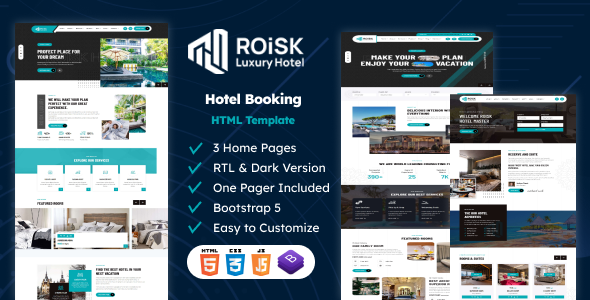
If listings take bookings, the theme must support the booking flow cleanly: availability display, reservation forms, confirmation and notification layouts. Booking-focused designs such as Roisk demonstrate how availability and reservation interfaces should behave, and those patterns apply whether the final build is WordPress or static. If the directory earns money from featured listings or subscriptions, check how featured placement appears in search results and whether paid tiers are visually distinct without misleading visitors.
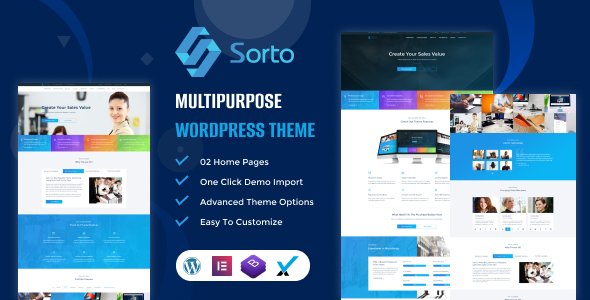
A multipurpose WordPress theme like Sorto can carry the directory’s content pages, blog and marketing sections around a dedicated directory setup, which is often a cleaner arrangement than asking one theme to do everything.
The launch test
Before launch, seed the directory with enough real listings to make search useful in at least one area, and run through the full visitor journey on a phone: search, filter, open a listing, contact or book. If any step feels awkward, fix it before adding more listings, because every new listing multiplies the effect of a broken journey. A directory theme earns its keep not by looking impressive on day one, but by making thousands of searches and bookings feel effortless over time.
Planning moderation from day one
Directory owners usually think about moderation after abuse arrives, which is too late. Fake listings, spam reviews and misleading claims damage trust quickly, and cleaning them up after the fact takes far longer than preventing them. Plan moderation before launch: who reviews new listings, what standards apply, how quickly disputes are answered, and what happens to repeat offenders. Publish the standards plainly, so listing owners know the rules and visitors know the directory is curated rather than scraped.
Tools matter as much as policy. The directory setup should let moderators approve, edit, suspend and remove listings efficiently, respond to reviews publicly, and spot patterns such as the same owner submitting many thin listings. A theme and plugin combination that makes moderation awkward will lead to moderation being skipped, and skipped moderation is how a promising directory becomes a spam directory. Treat moderation as a core feature in theme selection, not an administrative afterthought.
The themes in this post, compared
Every theme below is named in the article itself. The post does not quote prices, so check the product page for the current price.
| Theme | Format | What the post says about it | Price noted in the post |
|---|---|---|---|
| Roisk | HTML template | Roisk demonstrate how availability and reservation interfaces should behave, and those patterns apply whether the final build is WordPress or static. | See the product page |
| Sorto | WordPress theme | Sorto can carry the directory’s content pages, blog and marketing sections around a dedicated directory setup, which is often a cleaner arrangement than asking one theme to do everything. | See the product page |
Frequently asked questions
Why does the post emphasise write the listing specification first for directory WordPress theme?
List every field a listing needs: name, categories, location, contact details, images, opening hours or availability, price or price range, and any field specific to your niche, such as qualifications for tradespeople or amenities for rentals. In practice, that means judging a WordPress theme on this point before you buy, not after the site is built — open the live demo, find the section the post describes, and check it with your own content in place.
What makes Roisk a good fit for a directory WordPress theme?
Roisk demonstrate how availability and reservation interfaces should behave, and those patterns apply whether the final build is WordPress or static. That is the post’s own judgement, and it is worth verifying against the live demo: check the Roisk demo with your own images and copy, because a theme that looks right with stock content can feel different with yours.
What makes Sorto a good fit for a directory WordPress theme?
Sorto can carry the directory’s content pages, blog and marketing sections around a dedicated directory setup, which is often a cleaner arrangement than asking one theme to do everything. That is the post’s own judgement, and it is worth verifying against the live demo: check the Sorto demo with your own images and copy, because a theme that looks right with stock content can feel different with yours.
How much should I budget for a directory WordPress theme?
The post does not quote a price for directory WordPress theme, so treat the theme as one line in a small budget, not the whole budget. As a guide, WordPress themes on Expert Themes are listed at $20 and HTML templates at $10, with hosting and a domain on top. Check the product page for the current price before you decide, and count any paid plugins you will need.
Will a directory WordPress theme work properly on a phone?
The post treats mobile as a first check rather than an afterthought, and that is the right order: most visitors in this niche arrive on a phone, so open the demo on your own phone and test the menu, the forms, and the main call to action before you buy.
This is general guidance for choosing in this niche, not a guarantee: a theme that scores well on a demo can still slow down once your own images, plugins, and tracking are added. Test any directory WordPress theme with your real content before you commit.
Sources
- WordPress.org — Theme Handbook: theme requirements and review guidelines (accessed November 2026)
- Expert Themes — Roisk product page (accessed November 2026)
- Expert Themes — Sorto product page (accessed November 2026)
- ThemeForest — Expert Themes seller page, member since July 2016 (accessed November 2026)