Premium product
Motor Expert || Auto Mechanic & Car Repair HTML Template
- Lifetime updates included
- 6 months expert support
- 14-day money-back guarantee
About this product
Buy direct — same theme, instant download.
By Shehzad Hussain · Last updated: November 2026
About Motor Expert
When a car breaks down, the driver wants one thing: a repairer they can trust, found fast. Motor Expert is a car repair, auto mechanic, and car service HTML template built for that moment, with all files well organised and named so it is very easy to customise and update. The package includes 22 files and multiple pages, with different header styles, a clean and modern design, valid HTML5 and CSS3, the latest Bootstrap, and full responsiveness. For a garage, that means a site that shows its services clearly, looks professional on any device, and makes it simple for a stressed driver to pick up the phone. Trust is the currency of this trade, and a tidy, credible website earns it before the car ever reaches the workshop. Motor Expert is sold by Expert Themes, which has been selling on ThemeForest since July 2016, holds a 4.4 buyer rating on ThemeForest, and counts 8,900+ sales on ThemeForest. It comes with lifetime updates, six months of support, and a 14-day money-back guarantee. For mechanics and repair shops, Motor Expert is a dependable choice.
What sets Motor Expert apart is how much room it gives a garage to say what it does. The package holds 22 files and several pages, so a workshop is not squeezed into a single scrolling page: services can be listed properly, from oil changes and brake work to diagnostics and engine repair, and each one gets space to explain what is included and what it costs. The different header styles mean the top of the site can be tuned to the garage, whether it wants the phone number front and centre or a booking button in view from the first second.
The build quality is practical rather than flashy. Files are well organised and named, the markup is valid HTML5 and CSS3 on the latest Bootstrap, and the layout is fully responsive, so a driver searching for a mechanic from a layby gets the same clear site as someone browsing at a desk. That matters in this trade more than most: the visitor is often stressed, short on time, and choosing between two or three garages. A site that loads cleanly, shows the services plainly and makes contact obvious wins that call.
Who should not buy Motor Expert
Motor Expert is not the right buy for a business that needs online booking with live diary slots, or for anyone who wants to update prices from a dashboard. It is a static template: the diary, the phone and the workshop do the booking, and the site does the persuading. It is also a poor fit for a multi-branch chain that needs a separate page set per location out of the box, since each branch page would have to be built by duplicating and editing files by hand.
About this product
Motor Expert is a car repair and auto mechanic HTML template built for independent garages, mobile mechanics and small repair shops that need a credible website without a long build. It comes from Expert Themes, a ThemeForest seller July 2016 with a 4.4 buyer rating on ThemeForest and 8,900+ sales on ThemeForest, and it is sold at $10, reduced from $14. The template covers the pages a garage actually needs: a homepage that states the services at a glance, service detail pages, and a way for a driver to get in touch or find the workshop. Everything is static HTML, so the site is fast and cheap to host, and the organised file structure makes it straightforward for a developer to rebrand. Buyers get lifetime updates, six months of support and a 14-day money-back guarantee.
When you buy Motor Expert, you get the complete template package as an instant download: the HTML pages, stylesheets, scripts and images, ready to upload to any static hosting. There is nothing else to buy to get the site live. Every purchase includes lifetime updates, so future improvements to the template are yours at no extra cost, plus six months of support for installation help, bug fixes and usage questions, and a 14-day money-back guarantee if the template does not fit your project.
Highlights
- 22 files with multiple pages, so services, pricing and contact each get proper space
- Several header styles to put the phone number or booking button where it is seen first
- Built on the latest Bootstrap with valid HTML5 and CSS3 for a clean, modern finish
- Fully responsive layout that stays clear on a phone, tablet or desktop
- Files well organised and named, making colour, text and image changes quick
- Lifetime updates and 6 months of support included with a 14-day money-back guarantee
Specifications
| Detail | What you get |
|---|---|
| Pages included | 22 files, multiple pages, with several header styles |
| Framework | Latest Bootstrap, valid HTML5 and CSS3 |
| Best for | Independent garages, auto mechanics and car service businesses |
| Responsive | Yes — mobile, tablet and desktop |
| Requirements | A modern web browser (Chrome, Firefox, Edge or Safari); any static web hosting — no server software needed; HTTPS recommended |
| Product type | HTML template |
| Updates | Lifetime updates included |
| Support | 6 months included |
| Money-back guarantee | 14 days |
| Seller | Expert Themes — ThemeForest seller July 2016, 4.4 buyer rating on ThemeForest, 8,900+ sales on ThemeForest |
| Version | Not stated on the product page |
Screenshots
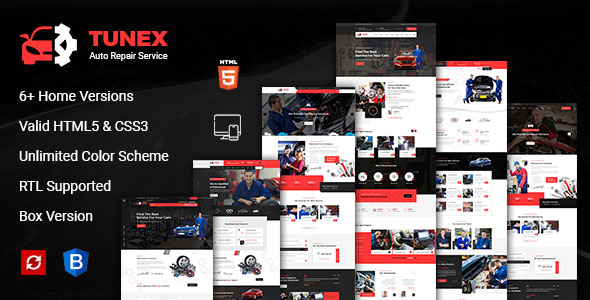
- Homepage hero with service grid and phone number in the header
- Services page listing repair services with short descriptions
- About page introducing the garage and its team
- Contact page with workshop address, hours and enquiry form
How to use
Setting up Motor Expert for your garage
Plain HTML, no installer: a working garage site is an afternoon's job.
- Download the ZIP. Buy the template, then grab the package from your Expert Themes account.
- Unzip and look around. The 22 pages are named by purpose, so the homepage and service pages are easy to find.
- Choose a header. Pick the style that puts your phone number where it is seen first.
- Put your services in first. Rewrite the service pages with your own list and the price for each.
- Swap the photos and logo. Replace demo images with pictures of your own workshop and team.
- Wire up the enquiry form. Connect it to a form service, or use a big tap-to-call number instead.
- Upload and road-test it. Push the files to your host, then open the site on a phone and click every link.
Limitations
Where Motor Expert stops
A garage website earns its keep by getting the phone to ring, and Motor Expert is built for that job, not for running the workshop. There is no live booking calendar in these 22 files: a driver cannot pick a Tuesday slot and expect the ramp to be free, because nothing on the site talks to your diary. The enquiry form is front-end only, so it stays silent until you wire it to a form service or a small server script. Prices for oil changes, brakes and diagnostics are typed straight into the HTML, which is fine when they change twice a year and a chore when they change monthly. There is no parts catalogue, no MOT reminder system and no customer login area, and a second branch means duplicating pages by hand. This is not WordPress: no admin panel, no plugins, no dashboard edits.
Frequently asked questions
How many pages does Motor Expert include?
The package contains 22 files with multiple pages, including the homepage, service pages and contact, plus several header styles to choose from. The exact page list is visible in the live demo, and the files are named by purpose so you can see what is covered before you start editing.
Can I list different services like brakes, diagnostics and engine repair?
Yes. The template is built around a service-led structure, so each service can have its own section or page with a description of what is included. That is how most garages use it: a services overview on the homepage, then a page per service for the detail.
Is Motor Expert suitable for a mobile mechanic rather than a fixed garage?
Yes, it works for both. A mobile mechanic would use the same pages but lead with the service area and phone number instead of a workshop address. The responsive layout matters here, since most mobile-mechanic customers search from their phone.
Does the template include a booking form?
It includes front-end form layouts for enquiries, but as a static HTML template it has no built-in booking system or diary. The form needs to be connected to a form service or a small backend script before it can send you messages, or you can direct visitors to call instead.
How easy is it to change the colours to match my garage branding?
The styling lives in the CSS files and the files are well organised and named, so changing the main colours, logo and images is a straightforward job for anyone comfortable editing HTML and CSS. A developer can rebrand the whole template in a few hours.
Can I add a page for customer reviews or testimonials?
There is no dedicated reviews page in the stated file list, but the template's page structure makes it simple to duplicate an existing page and turn it into a testimonials page. Many garages do exactly that, adding a few short customer quotes with names and car models.
Everything you need to build with confidence.
01
22 files with multiple pages, so services, pricing and contact each get proper space
02
Several header styles to put the phone number or booking button where it is seen first
03
Built on the latest Bootstrap with valid HTML5 and CSS3 for a clean, modern finish
04
Fully responsive layout that stays clear on a phone, tablet or desktop
05
Files well organised and named, making colour, text and image changes quick
06
Lifetime updates and 6 months of support included with a 14-day money-back guarantee
Compatibility & technical information
Product typeHTML Templates
FrameworkLatest Bootstrap, valid HTML5 and CSS3
Pages included22 files, multiple pages, with several header styles
Best forIndependent garages, auto mechanics and car service businesses
ResponsiveYes — mobile, tablet and desktop
RequirementsA modern web browser (Chrome, Firefox, Edge or Safari); any static web hosting — no server software needed; HTTPS recommended
UpdatesLifetime updates included
Support6 months included
Money-back guarantee14 days
SellerExpert Themes — ThemeForest seller July 2016, 4.4 buyer rating on ThemeForest, 8,900+ sales on ThemeForest
VersionNot stated on the product page
Before you install
- A modern web browser (Chrome, Firefox, Edge or Safari)
- any static web hosting — no server software needed
- HTTPS recommended
Related products